

 Finding the post is the slow part. This is how I make it fast.
The fastest way to find tweets to reply to on X is to stop scrolling For You. Make a private List of 15 to 25 accounts in your niche, keep a few searches sorted by Latest, and turn on notifications for your five favourite accounts. Then give every post a three-second check: is it under an hour old, is there still room in the replies, and do you actually have something to add? Yes to all three, reply. Otherwise skip it. The whole thing fits in 15 minutes a day.
Finding the posts was always my bottleneck, not writing the replies. I'd open X to "do my replies", and 40 minutes later I'd read 300 posts and written two. On 29 Oct I was doing about 60 replies a day. Once I fixed how I find posts, that jumped to 197 replies on 3 Nov and close to 370 on my best day, while I posted fewer than 10 of my own posts a day. Someone on X put it better than I can. A reply tool, they wrote, "shouldn't focus on replying. it should focus on searching and finding."
So this post is only about the finding. Who to reply to and what to say is in our guide to growing on X with replies.
Which posts are worth replying to
Before the sources, the filter. Every post I reply to passes three checks. I can do all three in a few seconds by looking at the timestamp and the counts under the post.
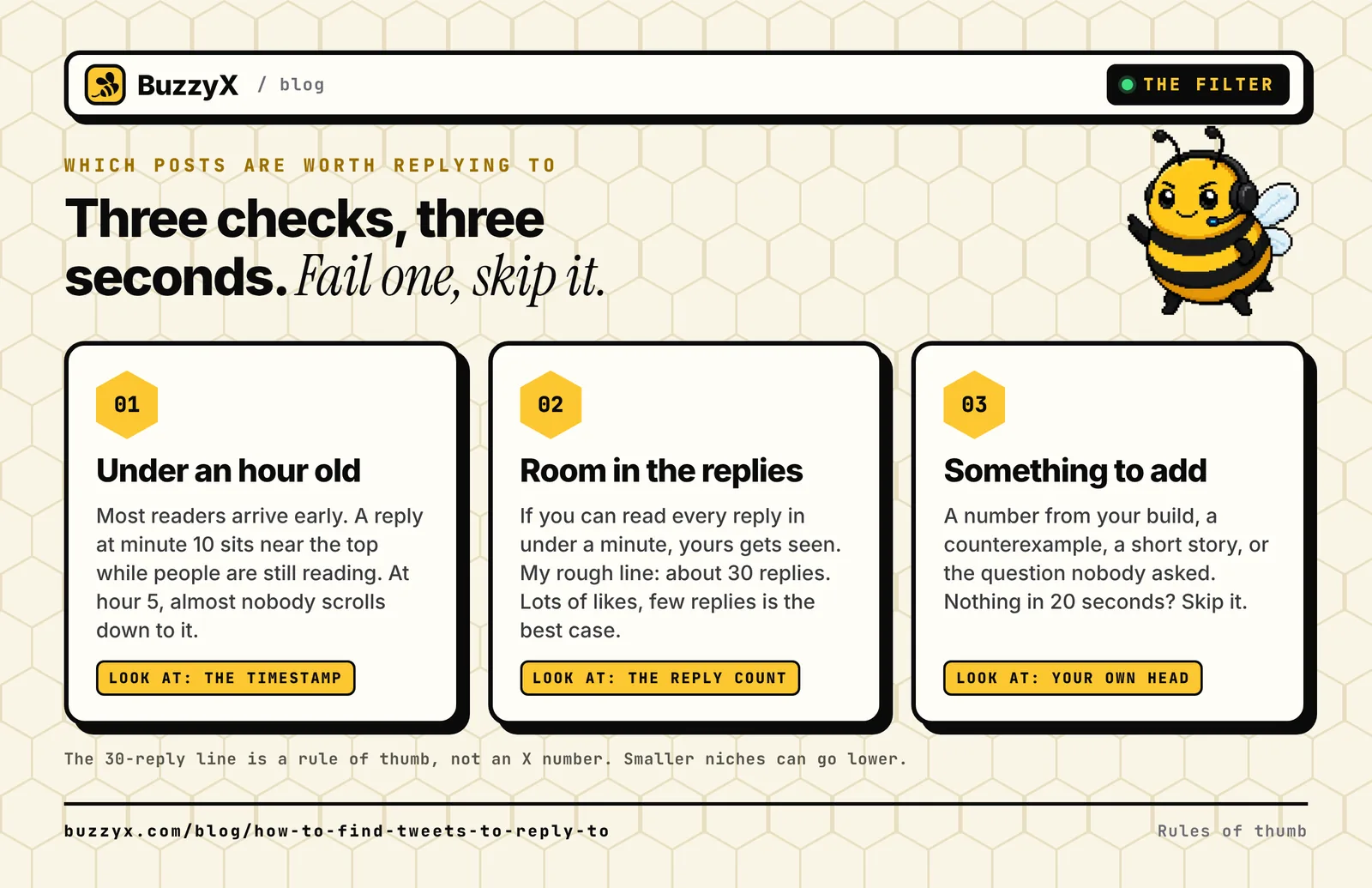 The three checks. Fail one and you skip the post, no guilt.
1. Under an hour old. A post gets most of its readers early. A reply at minute ten sits near the top while people are still reading. A reply five hours later gets read by the author, maybe. One person on Reddit called late replies "graveyards". Harsh, but right.
2. Room in the replies. If you can read every reply in under a minute, yours will get seen. If there are 300, it won't, however good it is. My rough line is about 30 replies. That's my rule of thumb, not an X number. A post with lots of likes and few replies is the best case: plenty of readers, not much competition.
3. You have something to add. A number from your own build, a counterexample, a short story, or the question nobody asked yet. If nothing comes to you in 20 seconds, move on. Another post will show up in five minutes.
Four places to find posts to reply to on X
Here's where my good posts actually come from, in the order I lean on them.
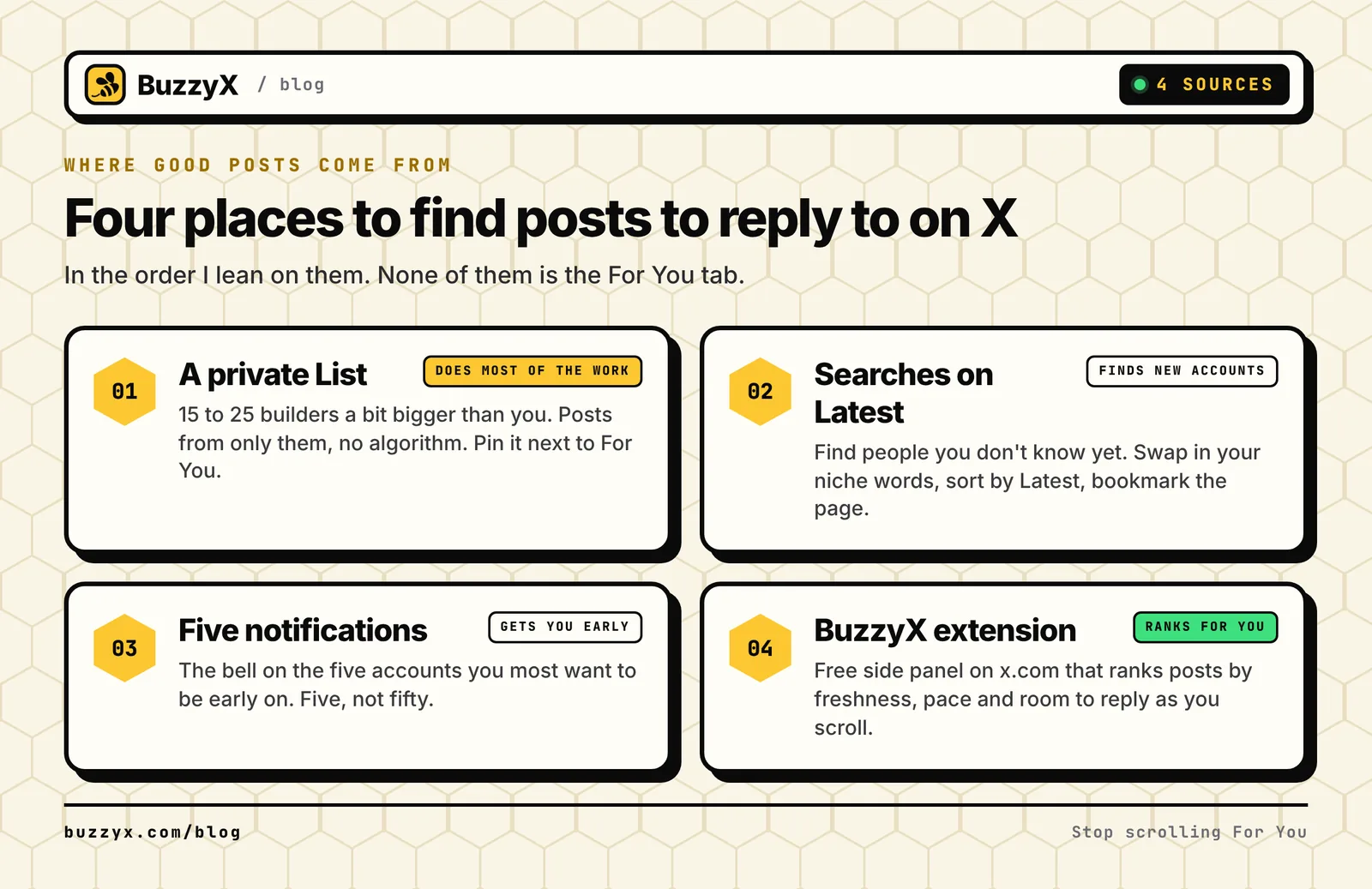 Four sources. The List does most of the work.
1. A private X List of 15 to 25 builders
This is the base. A List shows posts from only the accounts on it, so the algorithm stops deciding what you see. X's Lists help page says Lists are public by default, with a Private toggle when you create one. Flip it. You can also pin the List so it sits next to For You and Following on your home timeline.
Who goes on it: founders and builders in your space who are a bit bigger than you, post most days, and get real replies, not just likes. Our replies guide suggests ten to fifty times your follower count, and that matches what worked for me. A million-follower account is fun to read, but your reply is number 900 there.
The quick way to fill it: open an account you already like and see who they reply to most. Add the ones who pass the check above. Repeat for three accounts and your List is done in about 20 minutes.
2. Searches sorted by Latest, using X advanced search operators
The List shows you people you already know. Search shows you people you don't, which is how you find the next accounts for the List. Type one of these into the x.com search bar, switch to the Latest tab, and bookmark the results page so it's one click tomorrow.
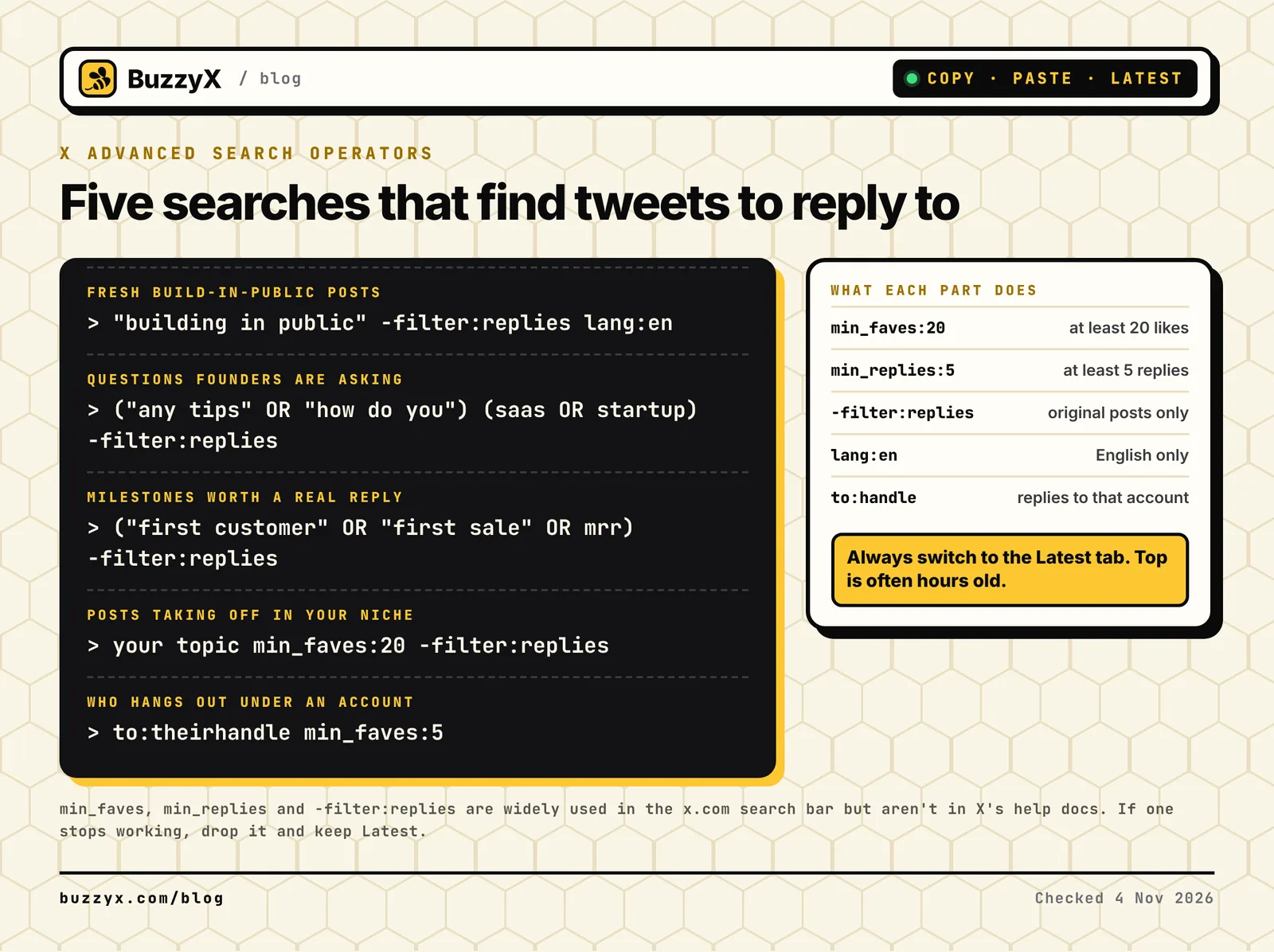 Copy these, swap in your own niche words, sort by Latest.
| What you want | Paste this into X search |
|---|---|
| Fresh build-in-public posts | "building in public" -filter:replies lang:en |
| Questions founders are asking | ("any tips" OR "how do you") (saas OR startup) -filter:replies |
| Milestones worth congratulating properly | ("first customer" OR "first sale" OR mrr) -filter:replies |
| Posts already taking off in your niche | your topic min_faves:20 -filter:replies |
| Who hangs out under an account you like | to:theirhandle min_faves:5 |
The last one is how you find viral tweets on X before they peak in your corner: a topic plus min_faves on Latest shows posts that are already pulling likes while they're still fresh.
One honest caveat. X's Advanced search help page covers words, accounts, language and dates, but it doesn't document min_faves, min_replies or -filter:replies. They've worked in the search bar for years and plenty of guides still list them, but they're unofficial. If one stops working, drop it and keep the Latest tab. That's the part that matters, because Top results are usually hours old by the time you see them.
3. Notifications for five accounts
Pick the five people on your List whose posts you most want to be early on, open their profiles and turn on post notifications with the bell. Five, not fifty. Fifty notifications a day is just For You with extra steps.
4. Let a tool do the ranking, not the replying
I built this part into BuzzyX because sorting posts by age and reply count in my head got old fast. The free BuzzyX Chrome extension adds a side panel to x.com. As you scroll, it ranks the posts you pass by freshness, pace and room to reply, best chance first. You can add keywords to focus the list and hide posts you've already replied to. It reads only what x.com already shows you, and it never posts, likes, follows or presses anything for you.
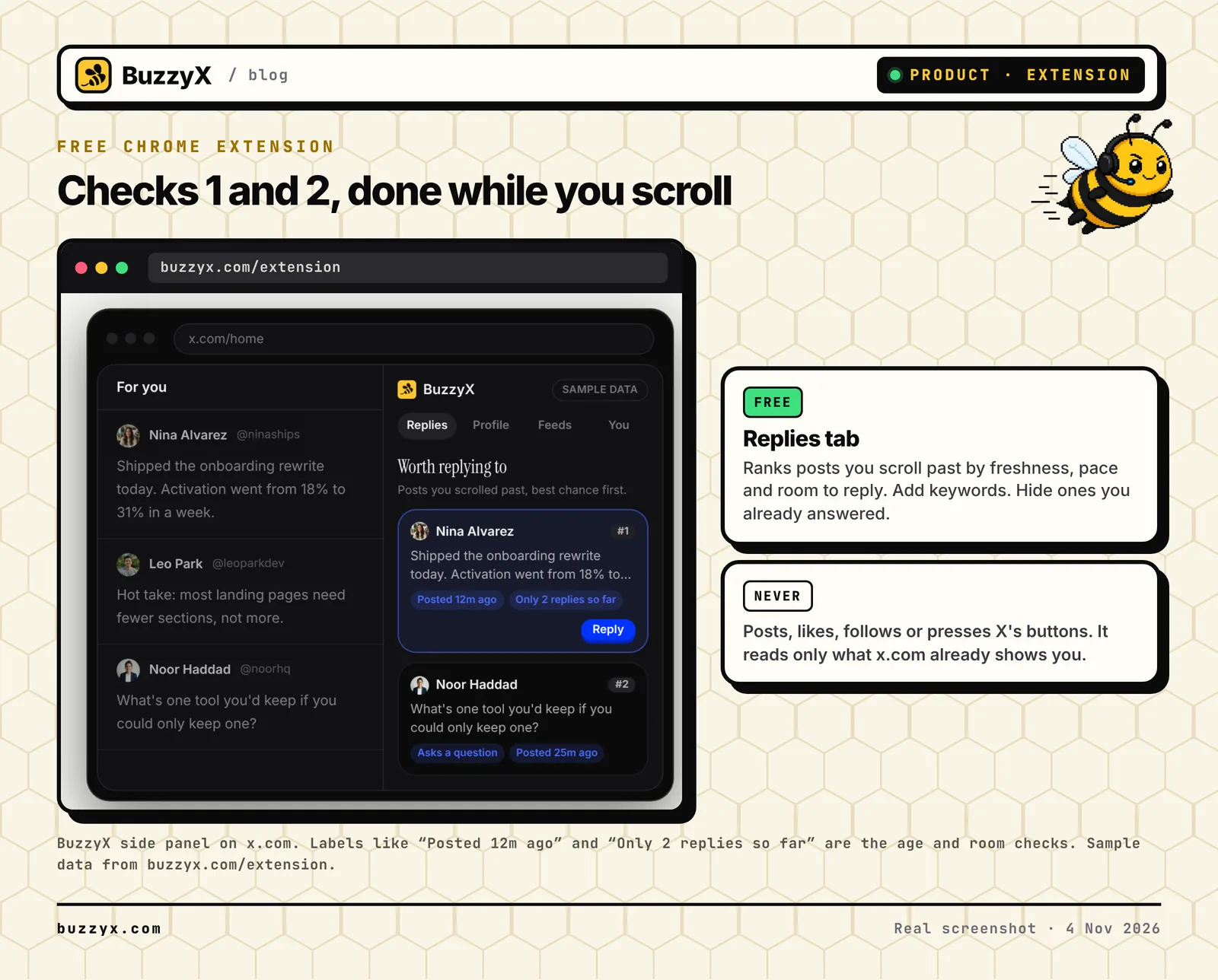 The extension's Replies tab does checks 1 and 2 for you. Sample data from buzzyx.com/extension.
Inside the BuzzyX app, Discover does the same job from the other end. Search a topic or open your Following feed and it shows recent posts worth joining. On the paid plan you can ask for reply ideas in your voice, edit one, and Reply on X opens X's own reply box with your text in it. You still press send.
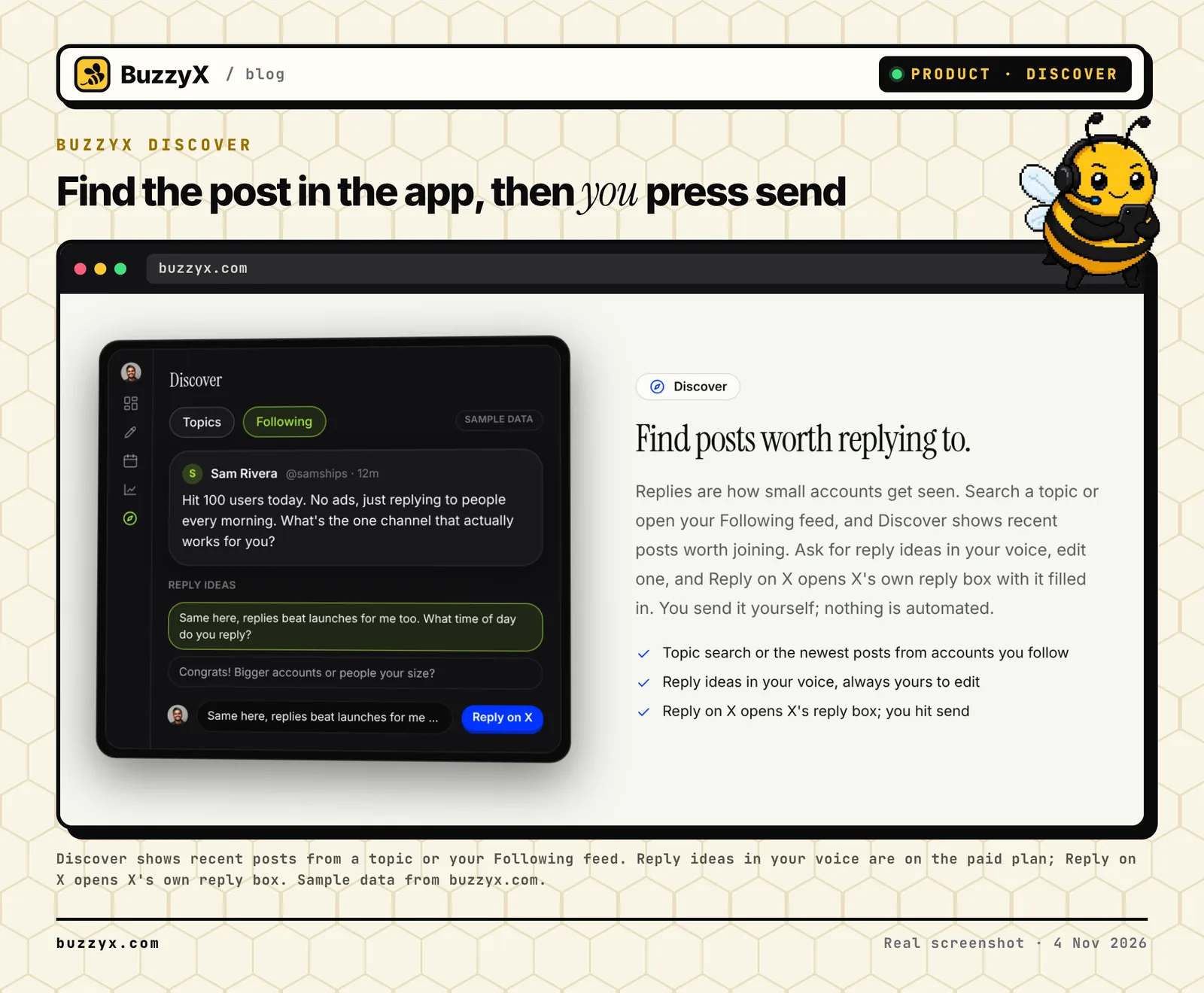 Discover finds the post and suggests a starting point. The reply still goes out from your hands.
The 15-minute routine, minute by minute
This is the routine I'd give any founder starting today. One timer, no For You.
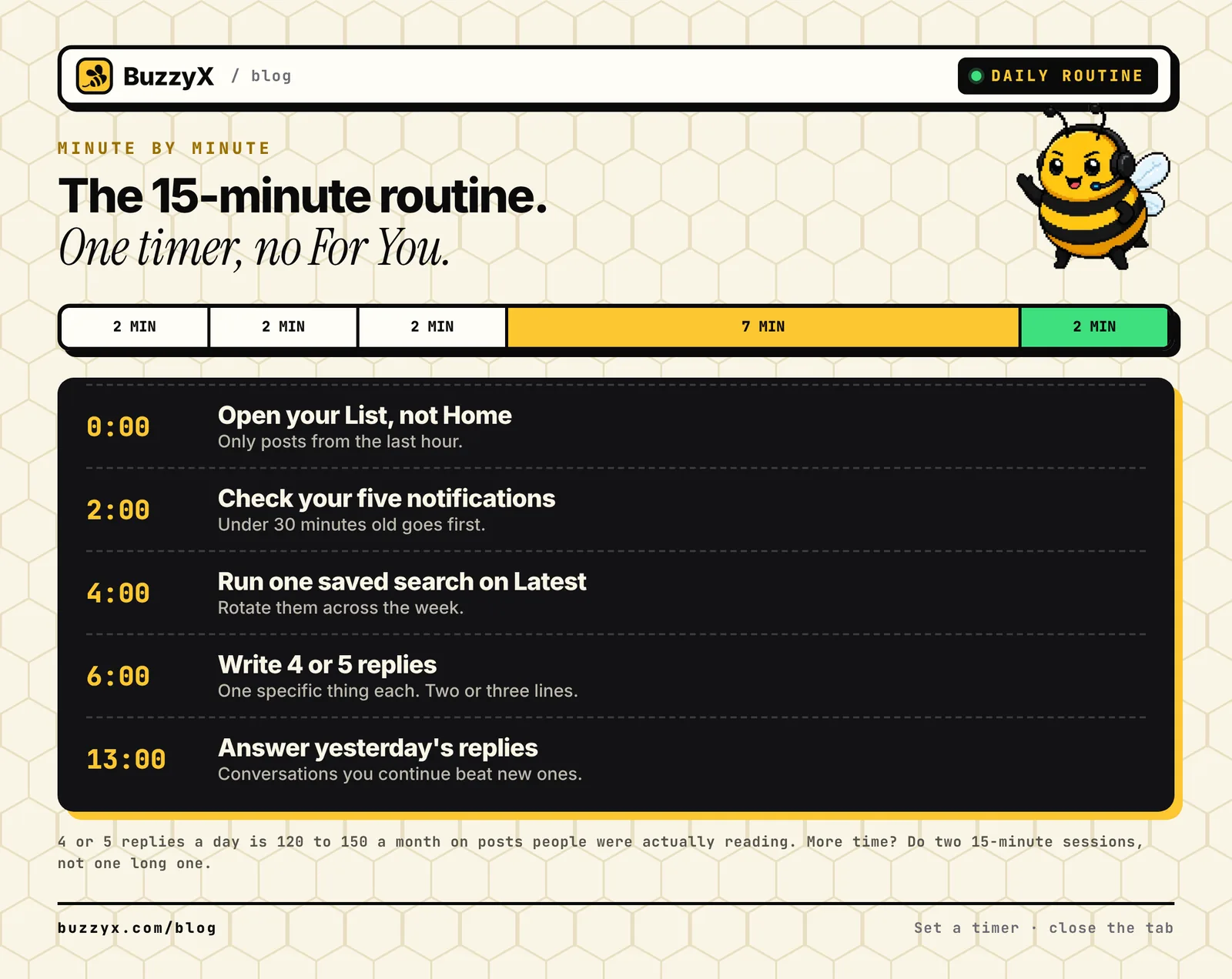 Set a timer. When it rings, close the tab.
| Minutes | Do this |
|---|---|
| 0 to 2 | Open your List, not Home. Look only at posts from the last hour. |
| 2 to 4 | Check notifications from your five accounts. Anything under 30 minutes old goes first. |
| 4 to 6 | Run one saved search on Latest. Rotate through them across the week. |
| 6 to 13 | Write four or five replies. One specific thing each, two or three lines. |
| 13 to 15 | Answer anyone who replied to you since yesterday. |
Four or five replies sounds small. Over a month it's 120 to 150 replies on posts people were actually reading, which beats 500 that nobody saw. If you have more time, do two 15-minute sessions instead of one long one. Two windows catch two waves of fresh posts.
Before you send each one, ask whether the reply is about the post or about you. If it's about you, delete it.
Worth it or skip it: two example posts
Here's the check on two made-up posts from the same morning.
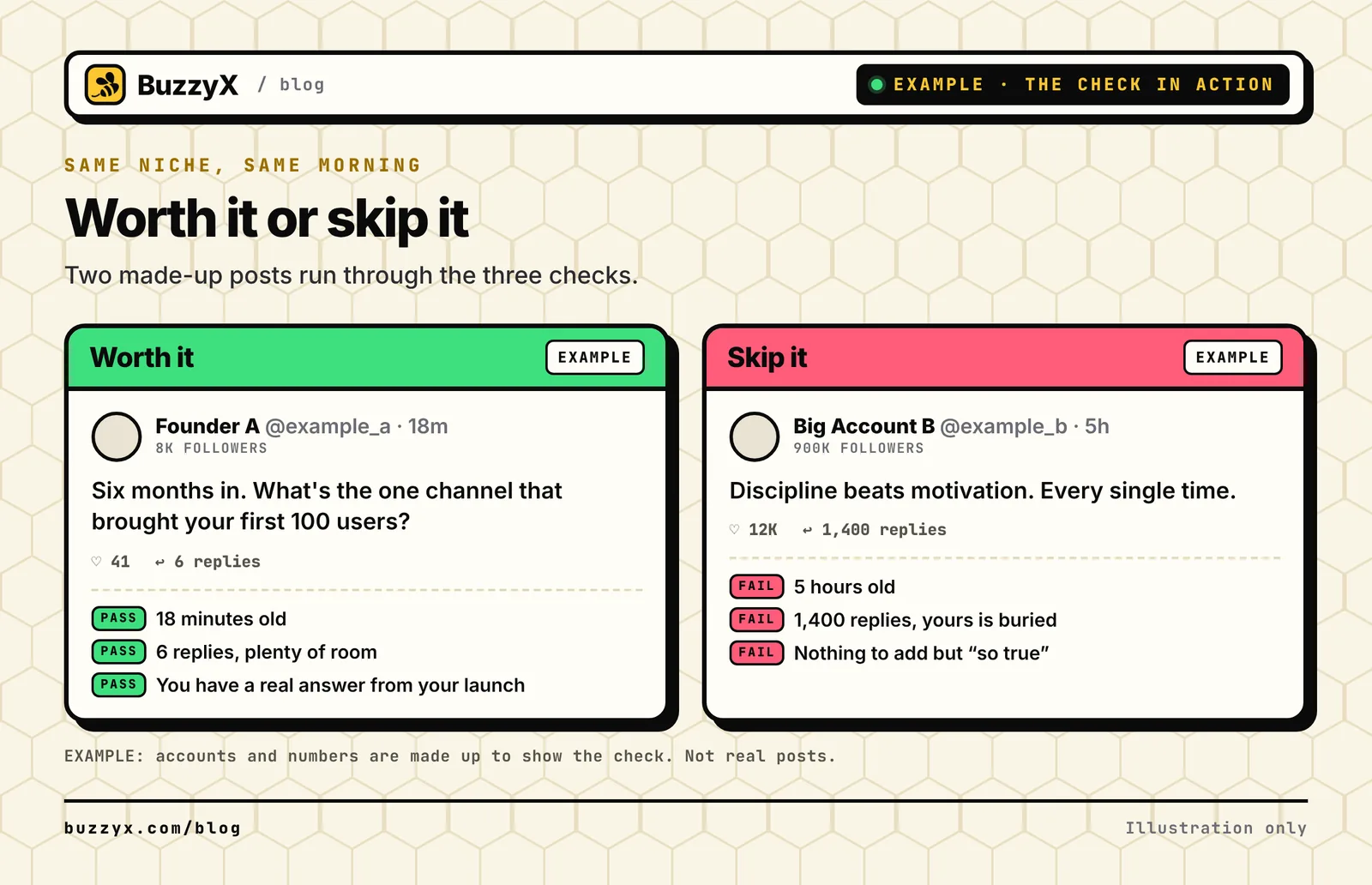 Made-up accounts and numbers, to show the check. Not real posts.
Post A is a founder asking which channel brought their first users. It's 18 minutes old with 6 replies, and you've got a real answer from your own launch. Passes all three. Post B is a motivational quote from a huge account, five hours old with 1,400 replies. It fails on age and on room, and "so true" isn't something to add.
A few more I skip every time:
- Viral posts outside my niche. Big reach, wrong readers. They won't care about my next post.
- Outrage threads. Your name ends up next to the fight.
- "Drop your link below" threads. Every reply is a link, so nobody reads them.
- A third post from the same person on the same day. Being everywhere reads as a strategy, and people mute for it.
Why I don't let a bot do this
The reply guy strategy gets a bad name because of people who automate it. Some tools offer to find posts by keyword and reply for you. I won't build that, for two reasons.
X's automation rules say it directly: "sending automated replies to posts based on keyword searches alone is not permitted." Then on 23 February 2026, X changed its API so programmatic replies on self-serve plans only go through when the original author mentioned you or quoted one of your posts. A keyword reply bot is against the rules, and on most API plans it's now blocked too.
The second reason is people. I've seen posts mocking anyone who searches for posts to reply to. The fix isn't to stop searching. It's to write replies good enough that nobody minds where you found the post. A bot can't do that part. More on where we draw the line in why BuzzyX never automates likes, follows, replies or DMs.
Speed up the finding as much as you want. The replying has to be you.
Start tomorrow morning
Make the List tonight. It takes about 20 minutes. Tomorrow, set a 15-minute timer and run the routine once. Once you've found the posts, the examples for replying to big accounts and replying to build-in-public updates show what to write.
If you'd rather have the ranking done while you scroll, add the free BuzzyX extension to Chrome. Reply ranking, profile stats and feeds work without an account. Reply ideas in your voice, scheduling and analytics come with the BuzzyX plan, $29 a month or $290 a year, and you can try it free for 7 days: start your 7-day trial.
BuzzyX · X growth workspace
Grow on X with posts that sound like you.
Compose in your voice, schedule the week, find posts worth replying to and read real analytics from the X API. $29/mo after the trial, everything included.